How to integrate WhatsApp Business API with Odoo 16, 17, 18 and 19
Go4whatsup connects the official WhatsApp Business API to Odoo, Community and Enterprise, with a shared inbox, templates and automation on Odoo records. This guide walks through the five setup steps, compares your options and answers the questions buyers ask.
Quick answer
Install the Go4whatsup connector from the Odoo Apps Store, connect your WhatsApp Business API number, and map your Odoo templates and triggers. Go4whatsup supports Odoo 15–20, Community and Enterprise, which covers Odoo 16, 17, 18 and 19. The Go4whatsup Odoo plan is $79/month, $49/month for the first 3 months, with no connector fee.
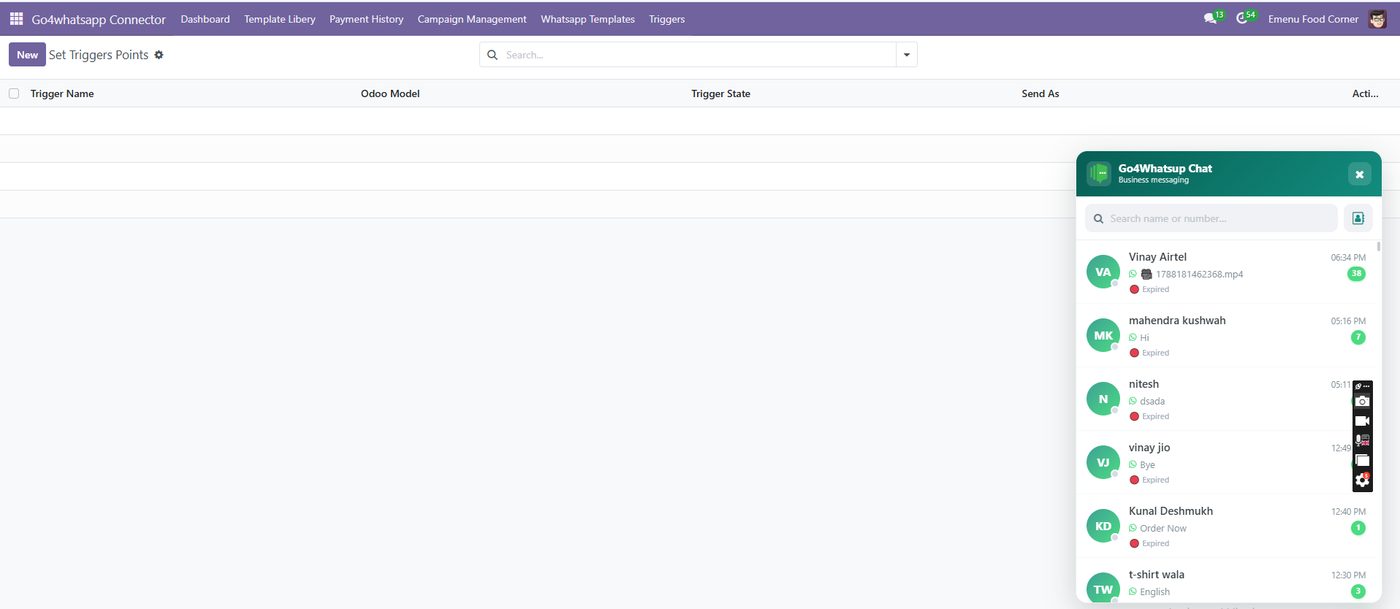
How do you integrate WhatsApp Business API with Odoo, step by step?
These steps are the same on Odoo 16, 17, 18 and 19. Go4whatsup supports Odoo 15 to 20.
- Install the app from the Odoo Apps Store. Install the Go4whatsup connector from the Odoo Apps Store, or upload the zip into your addons folder. It works on Odoo 15 to 20, Community and Enterprise, self-hosted, on Docker, on Odoo.sh or with a managed Odoo partner. No Enterprise licence or Odoo Studio is needed.
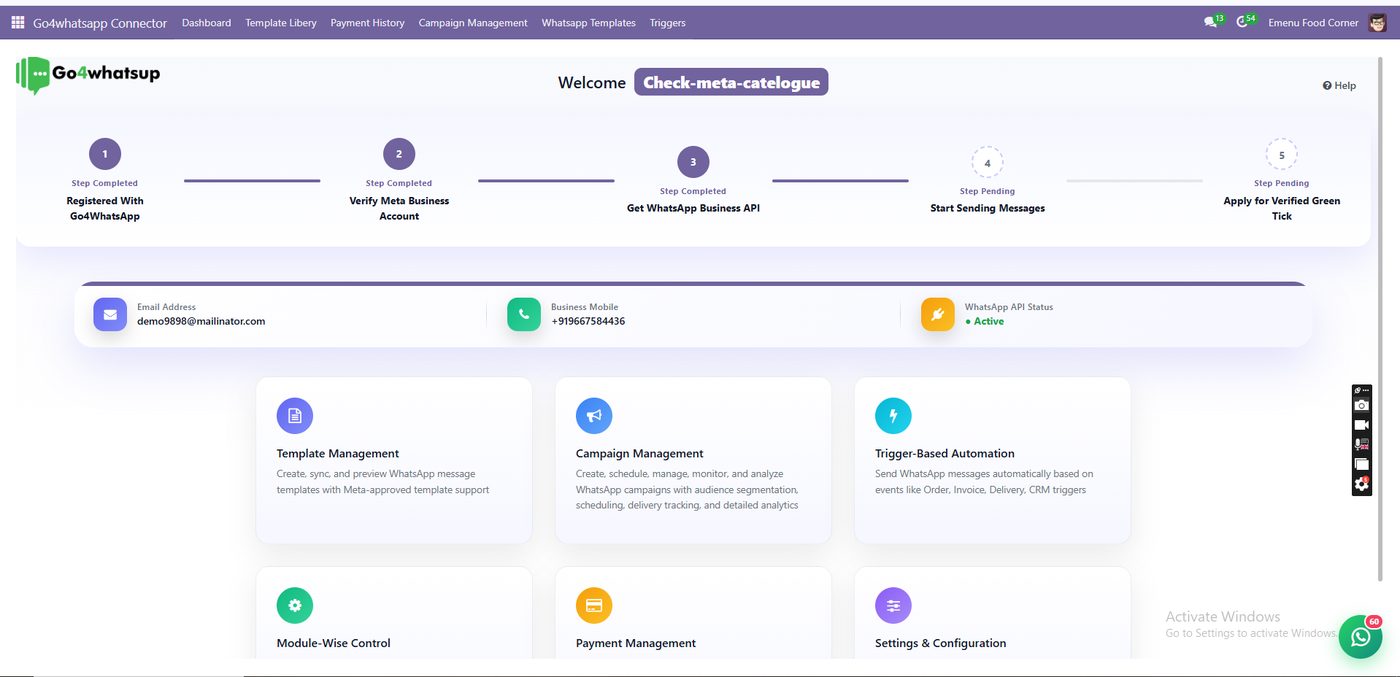
After install, Go4whatsup Connector opens as its own Odoo app. The dashboard shows the setup steps, from registration to applying for the verified green tick. - Connect your WhatsApp number. Sign up for Go4whatsup and connect your WhatsApp Business API number; Go4whatsup can migrate your existing number. Paste the API key from your Go4whatsup account into the module Settings in Odoo. You are typically live within 24 hours once Meta business verification is done.
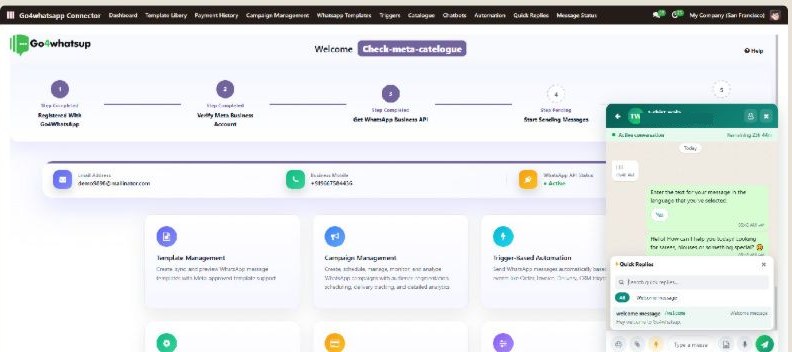
The connector dashboard with the number connected: WhatsApp API status shows Active, and a chat with the quick-replies panel is open on the right. - Map contacts and leads. Choose the Odoo modules that use WhatsApp, such as CRM, Sales, Invoicing, Inventory and Helpdesk. A new inbound WhatsApp chat creates a lead in Odoo CRM, and customer replies land in the chatter of the matching partner, order or invoice.
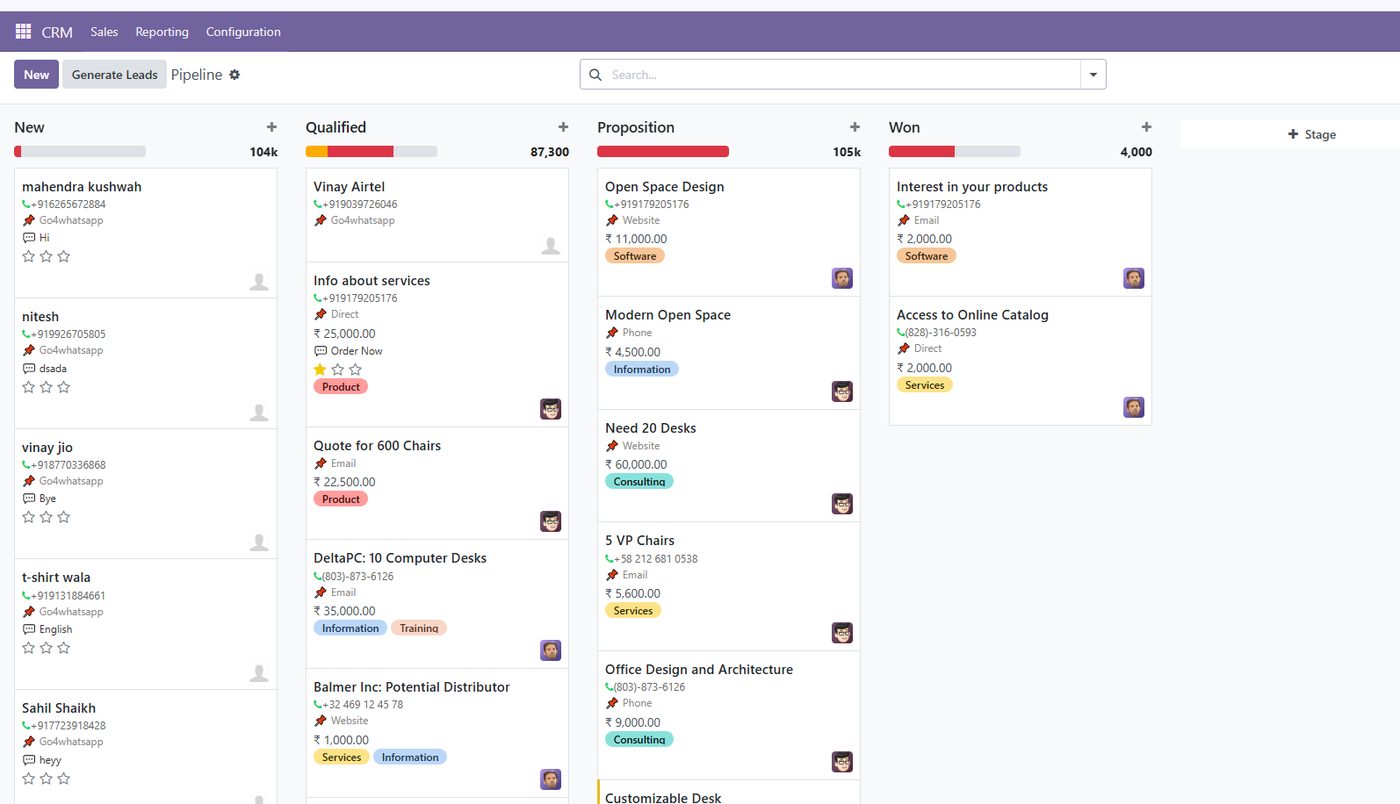
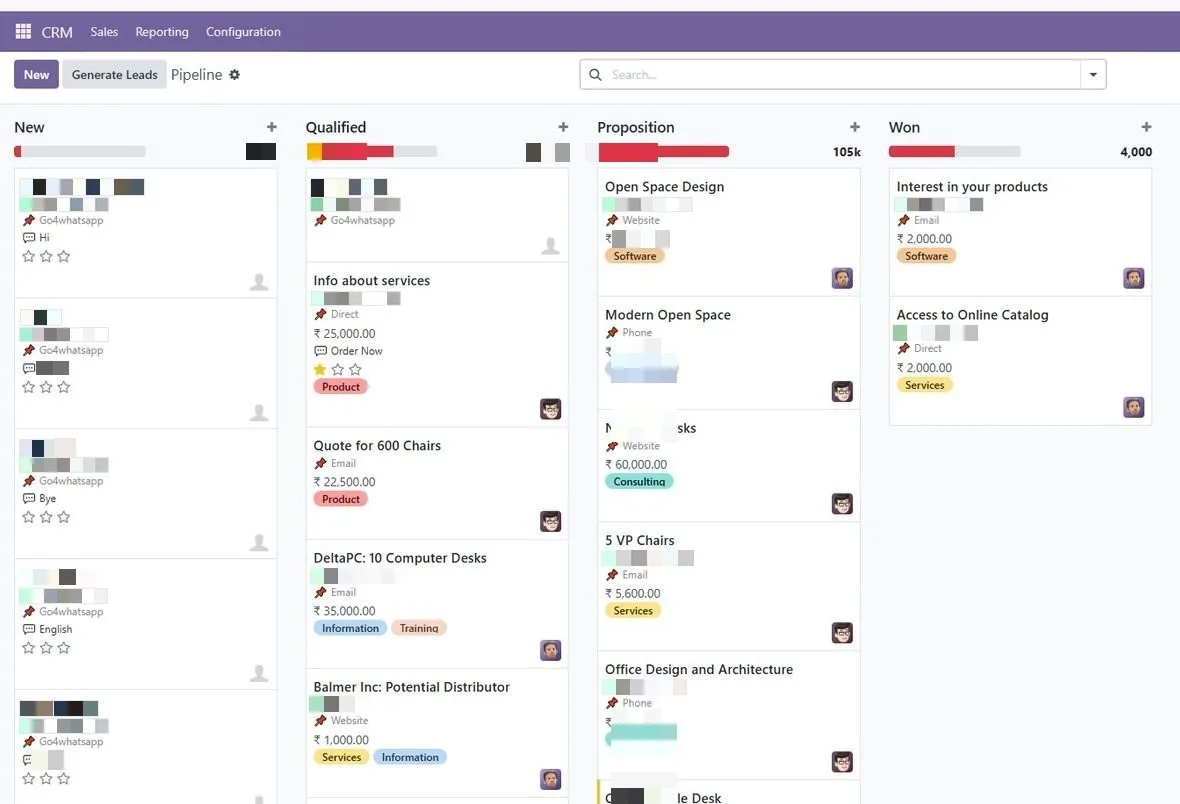
Odoo CRM pipeline with leads created from WhatsApp chats, tagged with the connector's source label, in the New and Qualified columns. Contact details are blurred. - Send a test template. Pick a sample from the template library, such as order confirmation or invoice due reminder, or create your own. Map each variable to an Odoo field, check the live preview, and once Meta approves the template, send a test to your own number.
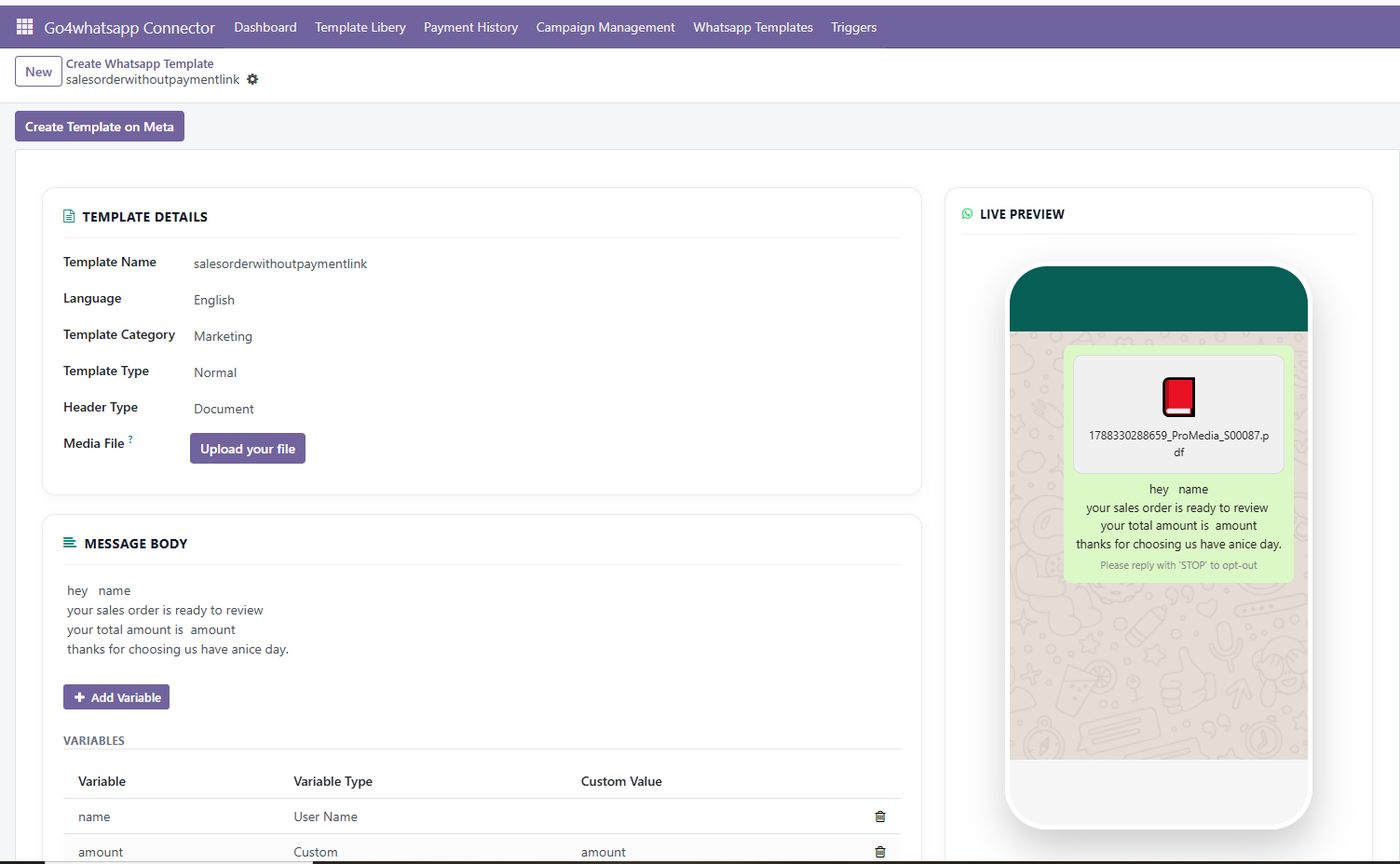
Creating the order_confirmation template: three variables mapped to Odoo fields (customer name, order number, order total), with a live preview of the message and its PDF. - Set an automation. Create a trigger: choose the Odoo model, the state that fires it, such as Quotation Sent or Invoice Posted, and the template to send. Tick Trigger Automatically, and the message goes out each time an Odoo record reaches that state.
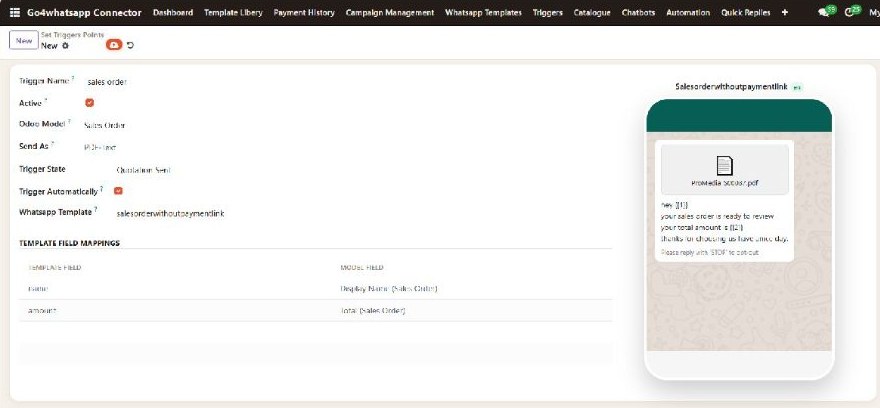
A trigger on Sales Order: when a quotation is sent, a WhatsApp template goes out automatically, with its fields mapped to the sales order's name and total.


If you book a demo, our team installs the module and sets up your first templates and triggers with you on the call.
How does Go4whatsup compare with other ways to add WhatsApp to Odoo?
| Option | Odoo editions | Upfront | Monthly | What you get, and what is missing |
|---|---|---|---|---|
| Go4whatsup (Odoo plan) | Community and Enterprise, 15–20 | $0 | $79 ($49 for the first 3 months); no connector or per-seat fee | Shared team inbox, AI replies, two-way auto-translate in 100+ languages, broadcasts and 11 Odoo modules. Meta charges at Meta’s rate plus a platform margin. |
| Odoo Enterprise’s own WhatsApp module | Enterprise 17+ only | Included in Enterprise licence | Per Odoo user seat | Templates from a few models (Sales, Invoicing, Inventory, Events), replies in Discuss. No AI, no auto-translate, limited broadcasts, and a new number is needed. |
| Free Odoo Apps Store modules | Version-locked to one Odoo series | $0 | None | You still need a WhatsApp API provider and its fees. No shared team inbox, no AI, no auto-translate, no support contract. |
| Paid Odoo Apps Store modules | Version-locked; you pay again at each Odoo upgrade | $4.90–$133 one-time, per Odoo version | None | Provider fees are separate. None combines a shared inbox, two-way auto-translate and a support team in your timezone. |
| Other providers or DIY (Meta Cloud API with n8n or Twilio) | Depends on what you build | Developer time | Provider fees plus hosting | You build and maintain templates, webhooks, the inbox and compliance yourself. |
Third-party module prices were read from the Odoo Apps Store WhatsApp category on 28 September 2026; prices change, so check the listing. Odoo Enterprise module details are from Odoo documentation, September 2026. More detail: Odoo Enterprise WhatsApp module vs Go4whatsup and Odoo WhatsApp integration pricing.
Does it work on Odoo Community?
Yes. Go4whatsup supports Odoo Community 15 to 20 with no Enterprise licence and no Odoo Studio, on self-hosted Odoo, Docker, Odoo.sh and managed Odoo partners. See WhatsApp for Odoo Community edition.
What does WhatsApp for Odoo cost?
The Go4whatsup Odoo plan is $79/month, $49/month for the first 3 months. All Odoo modules, the shared inbox, broadcasts and auto-translate come with it, and there is no per-connector or per-seat fee. Meta’s message charges are billed at Meta’s rate plus a platform margin. Go4whatsup invoices in INR with GST in India, in AED in the UAE, and in SAR with ZATCA-compliant e-invoices in Saudi Arabia.
Buying in India or the Gulf?
See Odoo WhatsApp integration in India and Odoo WhatsApp integration in the UAE and Saudi Arabia.
More on Odoo and WhatsApp
- WhatsApp integration for Odoo — overview
- Odoo WhatsApp integration pricing
- WhatsApp for Odoo Community edition
- Odoo Enterprise WhatsApp module vs Go4whatsup
- Odoo invoices and order updates on WhatsApp
- Odoo WhatsApp automation
- Odoo CRM and WhatsApp
- Odoo WhatsApp integration in India
- Odoo WhatsApp integration in the UAE and Saudi Arabia
- Go4whatsup on the Odoo Apps Store
Frequently asked questions
How do I connect WhatsApp Business API to Odoo 17?
Install the Go4whatsup connector from the Odoo Apps Store on your Odoo 17 database, then paste the API key from your Go4whatsup account into its Settings. Map your templates to Odoo models such as Sales and Invoicing, send a test template and set your triggers. The same steps work on Odoo 15 to 20.
Does it work on Odoo Community?
Yes. Go4whatsup works on Odoo Community 15 to 20, with no Enterprise licence and no Odoo Studio. It runs on self-hosted Odoo, Docker, Odoo.sh and managed Odoo partners.
What is the difference from the Odoo Enterprise WhatsApp module?
Odoo's own module is Enterprise 17+ only, sends templates from a few models, shows replies in Discuss and is priced per Odoo user seat. Go4whatsup runs on Community and Enterprise 15 to 20 and adds a shared team inbox, AI replies, two-way auto-translate in 100+ languages and broadcasts. It can replace the native module or run alongside it.
Can Odoo send invoices and order updates on WhatsApp?
Yes. When an invoice is validated, Go4whatsup sends the PDF on WhatsApp, with a reminder on the due date. Order confirmations, delivery updates and quotation follow-ups go out from triggers on the Odoo record.
How long does setup take?
The Go4whatsup team installs the module and goes live with you on one call, and onboarding is free on paid plans. You are typically live within 24 hours once Meta business verification is done.
What does it cost?
The Go4whatsup Odoo plan is $79/month, $49/month for the first 3 months, with no connector fee and no per-seat fee. Meta's message charges are billed at Meta's rate plus a platform margin. Odoo is also on the Go4whatsup PRO plan at ₹5,999 / AED 499 a month for 15 users.
Can I keep my existing WhatsApp number?
Yes. Go4whatsup migrates your existing WhatsApp number, so you do not need a new one. Odoo's Enterprise WhatsApp module needs a new number.
Is a one-time Odoo Apps Store WhatsApp module cheaper?
Only upfront. Paid modules cost $4.90–$133 one-time per Odoo version on the Odoo Apps Store (read on 28 September 2026), are version-locked, and you still need a WhatsApp API provider and its fees.
Put WhatsApp inside Odoo today
Install from the Odoo Apps Store and run it on the Go4whatsup Odoo plan: $79/month, $49 for the first 3 months.
Start free Book a demo WhatsApp usSee it running on your Odoo
Free onboarding on every paid plan. Typically live in 24 hours once your Meta Business Manager is verified.