
WhatsApp order → Odoo SO → Invoice — no manual typing.
Odoo WhatsApp Integration — orders, invoices, reminders on autopilot.
A complete WhatsApp automation engine for Odoo. Send order updates, invoices, payment reminders, stock alerts, delivery notifications — straight from Odoo to WhatsApp. Zero manual work.
Odoo + WhatsApp Complete · $49/mo for your first 3 months, then $79/mo · Free guided onboarding · 🇺🇸 US buyer? See TCPA 2026 playbook
Trusted by 1,500+ businesses across India and the UAE
Click in Odoo. Lands in WhatsApp.
No copy-paste. No Zapier or extra middleware required. The same record in Odoo automatically sends the right WhatsApp message — branded, attached, in the customer's language.
All this from 9 Odoo modules · 100+ languages · 2-minute install
Book Your 20-Minute Odoo WhatsApp Demo →Your ERP runs everything — but your communication still runs manually.
Communication delays = lost revenue + unhappy customers. Here's what breaks when Odoo doesn't talk to WhatsApp.
Go4whatsup × Odoo — six ways your ERP finally ships messages.
Automate every customer update
Keep customers informed at every step — synced live from Odoo workflows to WhatsApp.
- Invoice PDFs sent as WhatsApp attachments
- Order confirmations fire the instant the SO is validated
- Payment received → auto acknowledgement
- Delivery dispatched → real-time tracking message
Manage conversations inside Odoo
Customer replies show up in Odoo's communication panel — your team replies without ever leaving Odoo.
- See full chat history on the Odoo customer record
- Two-way messaging — reply directly from Odoo
- Message logs tied to the right SO/Invoice/Ticket
- Attachments flow back into the Odoo record
Smart campaigns & promotions
Promotions that use real Odoo segments — customers who bought X, left Y in cart, haven't returned in 90 days.
- Automated abandoned-cart recovery
- Upsell & cross-sell broadcasts
- Segmented offers to existing customer lists
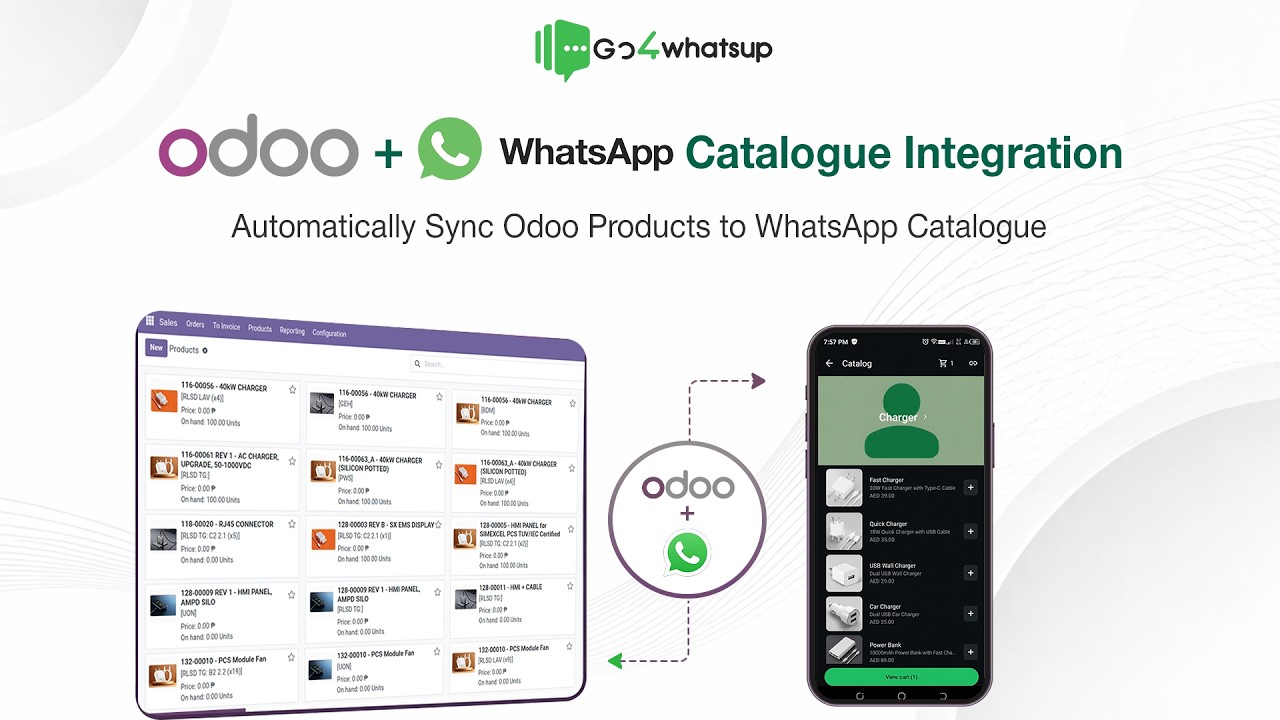
- WhatsApp Catalog + product availability flows
Internal team alerts
Not every message is for customers. Operations runs on WhatsApp too.
- Low-stock alerts to inventory managers
- Purchase order approvals for finance
- Manufacturing QC alerts to production
- Vendor updates to purchasing
Full template control
Pre-approved Meta templates plus multi-language support for GCC + India customers.
- Pre-approved WhatsApp template library
- Fire any template from any Odoo event
- Multi-language (English, Arabic, Hindi, more)
- Dynamic variables pulled live from Odoo records
Two-way sync that actually works
Bidirectional, field-level. Nothing drops between Odoo and WhatsApp.
- Odoo → WhatsApp: SO, Invoice, Shipment, Payment
- WhatsApp → Odoo: new lead, reply, attachment, support ticket
- Secure token-based authentication
- Works with Odoo Studio custom fields
Watch Go4whatsup × Odoo in action
Real Odoo record, real WhatsApp message — and the customer reply landing back on the same record. No slides.
Eleven modules. One WhatsApp engine. Zero extra apps.
11 core Odoo modules plus support for custom modules — Go4whatsup is ready to fire messages from any of them.
See exactly what Odoo × WhatsApp looks like before you start.
We've built workflows for eight industries running Odoo. Pick yours — these flows ship on day one.
Retail & supermarkets
- POS bill sent instantly on WhatsApp as PDF
- Stock-availability alerts for fast-moving items
- Invoice & payment reminders
- Promo broadcasts to existing customers
- Loyalty & repeat-purchase nudges
Manufacturing & production
- Work order notifications
- QC approval alerts
- Production status updates
- Dispatch & delivery confirmation
- Vendor & purchase order updates
E-commerce & online stores
- Abandoned-cart recovery messages
- Order confirmation on WhatsApp
- Invoice & payment receipts
- Shipping & delivery updates
- COD confirmation messages
Wholesale & distribution
- Bulk order confirmation
- Invoice & outstanding payment alerts
- Stock-refill notifications
- Delivery coordination messages
- Distributor communication
Food & beverage · restaurants
- POS receipts via WhatsApp
- Order status updates
- Customer follow-ups
- Loyalty & repeat offers
- Feedback requests
Healthcare & clinics
- Appointment reminders
- Billing & invoice notifications
- Follow-up care messages
- Test-report notifications
- Payment alerts
Real estate & property
- Lead acknowledgement messages
- Site-visit reminders
- Quotation & agreement sharing
- Payment & milestone updates
- Post-handover communication
Logistics & transportation
- Dispatch alerts
- Shipment tracking updates
- Delivery confirmation (POD)
- Invoice & billing messages
- Delay notifications
Install in minutes. Complete guided setup in one call. Go live within 24 hours.
No coding. Module install takes 2–3 minutes. Our team walks you through the whole thing on the demo call.
Install the Go4whatsup module
One-click module install, done with you on the call. Built for Odoo 20 (latest) — works with Odoo 15, 16, 17, 18, and 19. Community and Enterprise editions both supported.
Paste your API key
We hand you the key from your Go4whatsup dashboard. Paste it into Odoo settings. Takes 30 seconds.
Pick the events to automate
Sales, Invoicing, Inventory, CRM, POS, MRP — toggle the events you want. Map each to a pre-approved WhatsApp template.
Go live
Fire a test order in Odoo. Customer gets a WhatsApp confirmation. Reply comes straight back to the Odoo record.
A full Odoo × WhatsApp automation engine — not just a webhook.
Real reviews from teams running Go4whatsup today.
Excerpts from verified Google reviews — all five-star.
Intuitive platform — bulk messaging, contact management, and chatbot flows set up in minutes. Analytics and CRM integration are excellent.
Persistent support team. They got our daily sending limit increased to 1 lakh/day when nobody else could.
Smooth WhatsApp Business API setup. Himanshu and the team gave outstanding support through verification and onboarding.
Non-tech-savvy user here — the in-person tech support got me onboarded to Meta and built our first chatbot with ease.
Quick and easy platform, brilliant onboarding team. Himanshu and Sahil made the whole process painless.
Professional, responsive team — the chatbot works efficiently and handles our volume with no drops.
Questions your IT team and finance team will ask.
Complete Odoo + WhatsApp Automation — One Simple Plan.
Get Odoo integration, WhatsApp automation, team inbox, campaigns, CRM workflows, templates, APIs, webhooks, and all core Go4whatsup features in one complete package. One plan. One price. Everything you need to connect and automate WhatsApp with Odoo.
Odoo + WhatsApp Complete is $79/month — $49/month for your first 3 months. No separate connector fee and no additional Go4whatsup subscription required. Meta WhatsApp messaging charges are not included and are billed separately as per Meta’s official pricing.
What is the best WhatsApp integration for Odoo?
Go4whatsup is the WhatsApp Business API platform with a native Odoo module, built for Odoo 20 and working on Odoo 15, 16, 17, 18 and 19, Community and Enterprise, on-premise or Odoo.sh. It sends invoices, quotations, order and delivery updates, payment reminders and stock alerts from Odoo to WhatsApp, logs every customer reply in the Odoo chatter, and includes an AI agent that answers customers from Odoo data and auto-translates 100+ languages. Setup is a one-click module install and an API key, live within 24 hours. Odoo plan $79/month, $49/month for the first 3 months, unlimited agents, no connector fee. Go4whatsup is used by 1,500+ businesses, with head office in Indore, India and a GCC office in Dubai.
Do I need Odoo Enterprise to use this integration?
No. Go4whatsup works with both Odoo Community and Enterprise — across all major modules including Sales, Invoicing, Inventory, CRM, POS, and MRP.
Which versions of Odoo does Go4whatsup support?
Built for Odoo 20 (latest release) — works with Odoo 15, 16, 17, 18, and 19. Both Community and Enterprise editions. We ship updates within days of every new Odoo release.
Will customer replies show directly inside Odoo?
Yes. Incoming WhatsApp messages appear instantly in Odoo's communication panel (and in the Go4whatsup inbox). Your team can read, reply, tag, and manage conversations without switching tools.
Can I send invoice PDFs, quotations, and delivery slips on WhatsApp?
Yes. Invoice PDFs, quotations, purchase orders, delivery slips, payment receipts, and any Odoo-generated document can be sent directly via WhatsApp as media messages.
Can I automate specific Odoo events — like order confirmation or stock alerts?
Yes. Triggers from Sales, CRM, Invoicing, Inventory, MRP, POS, Purchase, Accounting, or your own custom modules can each be linked to a WhatsApp template and fired automatically.
Does this integration require technical knowledge or coding?
No coding required. Module installation takes 2–3 minutes and setup is fully guided. Free assisted onboarding is included on every paid plan.
Do WhatsApp message templates need Meta approval?
Yes, for messages sent outside the 24-hour customer window. We give you a pre-approved template library to start with; new template submissions typically clear Meta approval in 5–15 minutes.
How many users can access Go4whatsup on each plan?
Users scale by plan: 5 on Standard, 10 on Premium, 15 on PRO, and custom on Enterprise. Add-on user seats are available on every paid tier. Sales, Support, Dispatch, Finance, and Operations can work concurrently with permission controls.
How does pricing work?
Odoo + WhatsApp Complete is $79/month, currently $49/month for your first 3 months as launch pricing for new Odoo customers. That one price covers the Odoo connector module and all core Go4whatsup features — there is no separate connector fee and no additional Go4whatsup subscription. Meta WhatsApp messaging charges are billed separately at Meta’s official rates. WhatsApp conversation charges are billed on actuals at Meta's published rates — no markup from us. See what Complete includes →
Is the integration secure?
Yes. Go4whatsup uses the official WhatsApp Business API with secure token-based authentication. Messages flow directly between Odoo → Go4whatsup → WhatsApp with strict security standards. GDPR & DPDP Act compliant.
What if my Odoo or WhatsApp API setup is heavily customized?
The module works with most customizations out of the box, including Odoo Studio custom fields. For heavy customizations, our technical team reviews the setup and ensures compatibility — including custom automation flows and tailored data pipelines.
Can I use my existing WhatsApp number?
Yes. You can migrate an existing WhatsApp number to Go4whatsup, or use any valid phone number that can receive an OTP by SMS or voice call — including virtual numbers.
Ready to connect Odoo to WhatsApp?
Native connector. Order updates, invoices, payment reminders fire from Odoo events automatically. Live in 24 hours on one plan — $49/month for your first 3 months, then $79/month.
Start Free → Book Your 20-Minute Odoo WhatsApp DemoYour Odoo is already running your business. Let WhatsApp do the talking.
Book a demo with your Odoo login. We install the module, map your first 3 events to WhatsApp templates, and fire a live test order — all inside the call.
💬 Or WhatsApp us your Odoo version — we'll send back a 2-minute demo video for your setup.
▶ Watch the full tutorial on a dedicated page →