Home ›
Videos ›
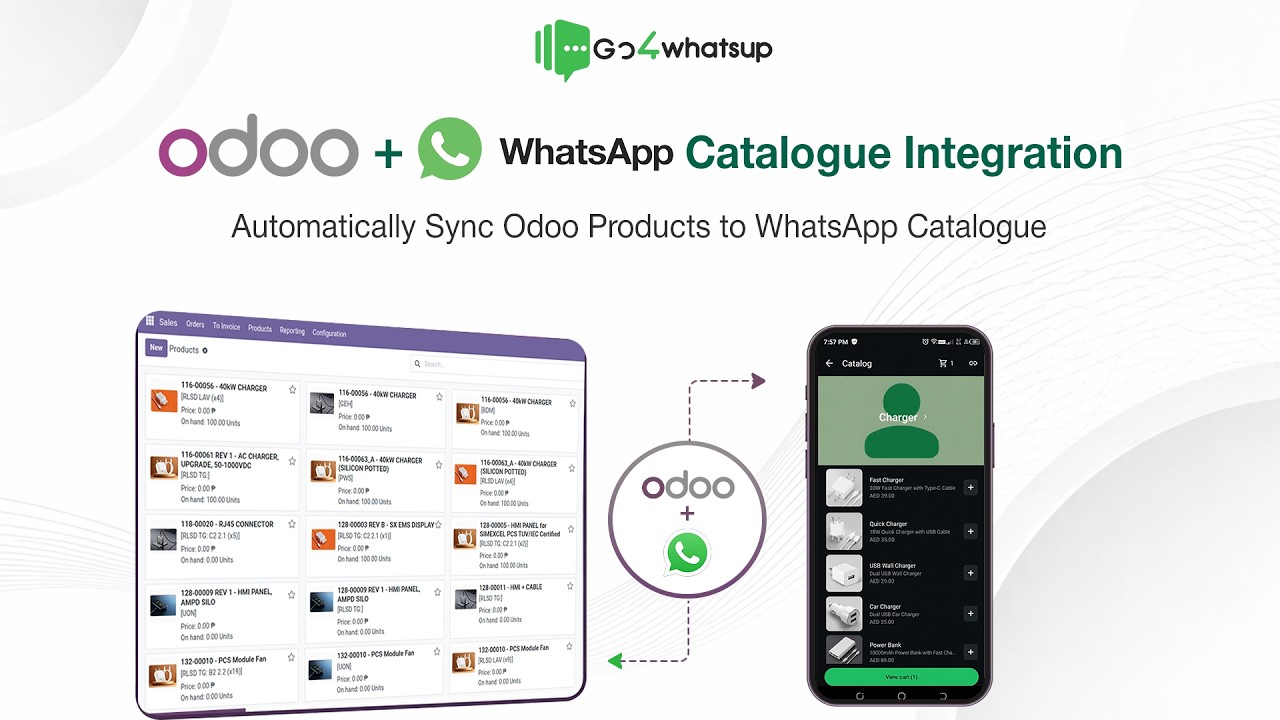
Odoo + WhatsApp Catalogue Integration — live demo
Odoo + WhatsApp Catalogue Integration — live demo
A live demo on real Odoo and WhatsApp accounts: products sync from Odoo into the WhatsApp Business Catalogue, prices update in real time, and a WhatsApp order lands back in Odoo as a complete sales order.
⏱️ 6 min 23 sec
📅 Uploaded 1 June 2026
🌐 By Go4whatsup
Want this in your business?
Book a 30-min working demo — we set it up live, on your real data.
Meta Business Partner
1,500+ businesses
4.4 on Google · 100 reviews
Odoo 15–20 · Community & Enterprise
Odoo + WhatsApp Complete — $49/mo for the first 3 months,
then $79/mo · one plan, no separate connector fee.
Full details
Full walkthrough — what's in this video
The demo runs on live Odoo and WhatsApp accounts — nothing staged. Below is what it covers. There are no chapter markers on the video, so these are sections, not timestamps.
Why connect Odoo to WhatsApp
Most Odoo teams still push order updates, quotations and invoices over email, and keep the catalogue in a separate spreadsheet that someone updates by hand. The connector removes both jobs: product data flows out of Odoo automatically, and the customer conversation flows back in against the right record.
Catalogue sync — Odoo products into the WhatsApp Business Catalogue
This is the core of the demo. Products sync from Odoo into the WhatsApp Business Catalogue automatically, with no manual catalogue updates and no copy-pasted prices. Price changes in Odoo update in the catalogue in real time, which is what stops you overselling or quoting a stale price inside a chat.
A WhatsApp order becoming an Odoo sales order
The demo runs it end to end on live accounts: a customer places an order from the WhatsApp catalogue, and it lands back in Odoo as a complete sales order — not a notification to re-key, the actual record.
Setting up the connector
Inside Go4whatsup admin → Integrations → Odoo. Paste your Odoo URL, database name, login and API key. The connector detects whether you are on Community or Enterprise and which modules you have installed — Sales, Invoicing, Inventory, Subscriptions, Helpdesk. No developer required — our onboarding team completes the connection with you.
Two-way chat, linked to the record
Real-time WhatsApp conversation runs inside Odoo rather than beside it. Replies post against the linked record — sale order, invoice or ticket — so the chat history sits with the customer in Odoo, and a shared team inbox lets several agents work the same queue without handing a phone around.
What you can automate once it is connected
Lead follow-ups from Odoo CRM, quotation and invoice sharing, order confirmations and payment reminders, support conversations, appointment and service notifications. Templates and multi-agent support are built in, and no third-party middleware sits in between.
Next step
The Odoo integration page carries the full feature list, the supported Odoo versions and pricing. Or book a working demo and we connect your actual Odoo instance live.
Frequently asked
How do you connect Odoo to the WhatsApp Business Catalogue?
Go4whatsup is a Meta Business Partner whose Odoo connector syncs your Odoo products into the WhatsApp Business Catalogue automatically and posts orders placed on WhatsApp back into Odoo as complete sales orders. The same connection carries two-way chat, order confirmations, invoices and payment reminders, each linked to its Odoo record. Setup is handled with you on an onboarding call and the connection is live the same day.
Does this work with Odoo Community Edition?
Yes. Both Community and Enterprise are supported, on Odoo versions 15 through 20.
Do I need a developer to set this up?
No. Our onboarding team completes the setup with you on the call — credentials in, fields mapped, live the same day.
Can the customer reply on WhatsApp and the message come back to Odoo?
Yes. Replies post as messages on the linked record (sale order, invoice, ticket) in Odoo.