Go4whatsup for Odoo · Live chat inbox
Odoo WhatsApp live chat — every customer chat in one shared inbox inside Odoo, with the order history beside it.
Customers message your business number on WhatsApp. With Go4whatsup the chat opens inside Odoo, not on a staff phone: any agent can answer it with quick replies, templates, images and documents, and the customer profile with tags, orders and lifetime value is one click away. When someone is on leave, the conversation and the lead stay with the company.
Odoo + WhatsApp Complete · $79/month, $49/month for the first 3 months · Unlimited agents · Works on Odoo Community and Enterprise.

The short answer
What WhatsApp live chat in Odoo gives a team
One inbox, every agent
All WhatsApp chats on your business number land in one Odoo inbox. Any agent can pick one up; chats never sit on a personal phone.
Reply faster with quick replies
Saved replies, approved templates, media and emoji in one composer. Agents answer the same questions in a tap instead of retyping.
Know the customer before you reply
The customer profile sits next to the chat: tags, past orders and lifetime value from Odoo, so the reply fits the customer.
Never miss the 24-hour window
A live countdown shows how long is left to reply freely. When it closes, the agent knows to use an approved template instead.
How it works in Odoo
From the first message to the right reply
A new message opens a live chat
When a customer writes to your WhatsApp number, a live chat opens in Odoo. It can start a chatbot flow first, and the conversation is created as a CRM lead so nothing is lost.
The whole team works from the same inbox
Agents see the same chats, reply from the same number and pick up where a colleague stopped. The full history stays on the Odoo record, not in someone’s pocket.
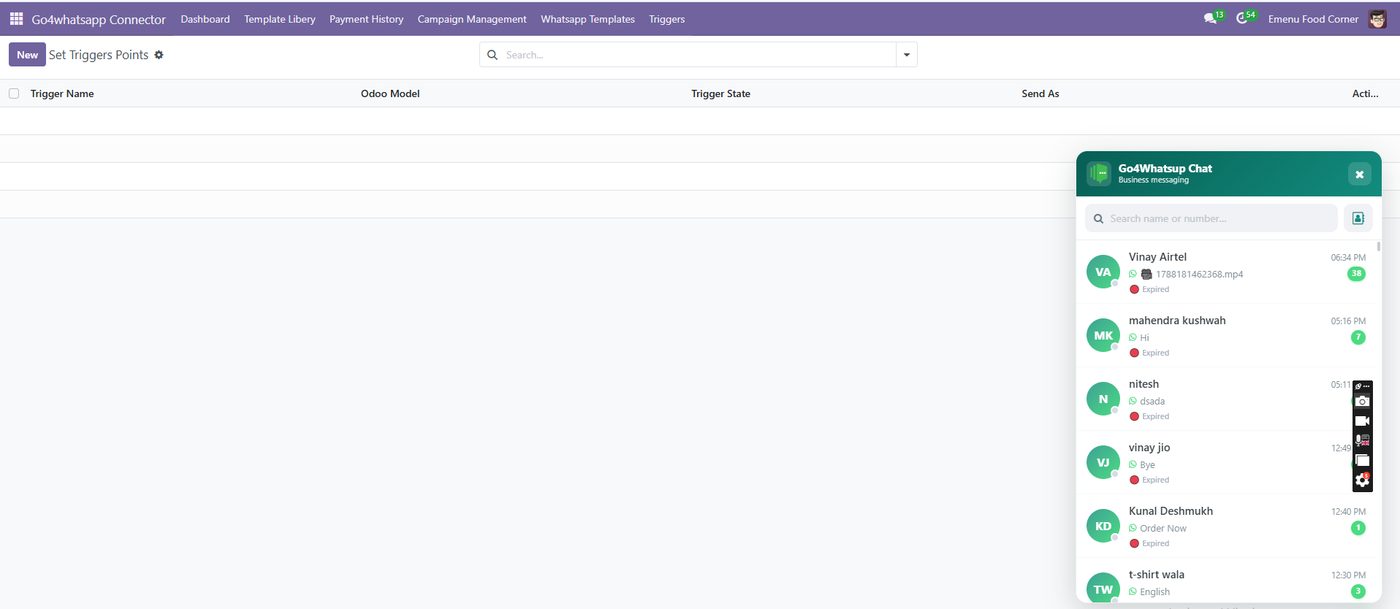
Every message is logged with its outcome
The message log records template, chat and catalogue messages with the number, the sender, and whether each was sent, delivered or failed, with Meta’s reason for any failure. Managers can review team activity.
Compare
WhatsApp on staff phones vs live chat inside Odoo
Swipe the table to compare →
| What happens | Staff phones / WhatsApp Business app | Go4whatsup live chat in Odoo |
|---|---|---|
| Where the chat lives | On one employee’s phone | In Odoo, on the customer record |
| Who can reply | Whoever holds the phone | Any agent on the team, unlimited agents |
| Customer context | Scroll back or ask again | Tags, orders and lifetime value beside the chat |
| Answering the same question | Type it again | Quick replies and approved templates |
| When someone leaves | History and leads leave with them | Everything stays with the company |
| Did the message arrive? | Ticks on one phone | Message log with delivered or failed and Meta’s reason |
Getting started
Live chat in Odoo in four steps
Install the module
Install Go4whatsup for Odoo from the Odoo Apps Store on Community or Enterprise, versions 15 to 20.
Connect WhatsApp
Verify your Meta Business account and connect your number to the WhatsApp Business API. We guide every step.
Add agents and quick replies
Switch WhatsApp on per Odoo role, add your team and save the replies you send most.
Go live
New chats open in Odoo. Pilot with one team first, then roll out.
Pricing
One Odoo price, everything included.
Odoo + WhatsApp Complete is $79 per month, and $49 per month for the first 3 months. It includes templates, campaigns, triggers and reminders, live chat, CRM leads, catalogue sync, chatbots and the message log, for unlimited agents. Meta's per-message charges are billed at cost, with no markup.
- $49/mo for the first 3 months
- Odoo Community and Enterprise, 15–20
- Unlimited agents
- Done-for-you onboarding
- Meta per-message fees at cost
Odoo WhatsApp live chat: common questions
Can my team chat with customers on WhatsApp inside Odoo?
Yes. Go4whatsup adds a WhatsApp live chat inbox to Odoo. Customers message your business number and agents reply from Odoo with quick replies, templates, images, documents and emoji, while the customer profile with tags, orders and lifetime value is one click away.
How many agents can use the Odoo WhatsApp inbox?
Unlimited. Odoo + WhatsApp Complete is $79 per month, $49 per month for the first 3 months, with no per-agent fee.
What is the 24-hour window and how does the inbox handle it?
Meta lets a business reply freely for 24 hours after the customer’s last message. Go4whatsup shows a live countdown in the chat, so agents know when the window is closing and when they must send an approved template instead.
Do inbound WhatsApp chats become leads in Odoo CRM?
Yes. A new inbound message opens a live chat and creates a CRM lead, so the conversation and the opportunity live on the same Odoo record.
Does it work on Odoo Community or only Enterprise?
Both. Go4whatsup works on Odoo Community and Enterprise, versions 15 to 20, without an Enterprise licence or Odoo Studio.
Can a chatbot answer before an agent joins?
Yes. A new chat can start a chatbot flow built in the visual builder, which answers common questions around the clock and hands the chat to an agent when needed.
Can managers see what each agent sent?
Yes. The message log records every template, chat and catalogue message with the sender, the number and the outcome: sent, delivered or failed, with Meta’s reason for any failure.
Do I need the WhatsApp Business API?
Yes. Live chat runs on the official WhatsApp Business API. Go4whatsup is a Meta Business Partner and guides the Meta verification and number setup as part of onboarding.
More for Odoo: Odoo WhatsApp integration · Odoo CRM and sales on WhatsApp · WhatsApp templates in Odoo · Odoo WhatsApp automation · Invoices and order updates · Bulk WhatsApp marketing · WhatsApp catalogue and commerce · AI chatbot for Odoo · Pricing
Book a demo on your real WhatsApp number
Free onboarding on every paid plan. Typically live in 24 hours once your Meta Business Manager is verified.