WhatsApp integration for Odoo 19: Community and Enterprise
Go4whatsup connects Odoo 19 Community and Enterprise to the official WhatsApp Business API. Quotations, invoices, payment reminders and delivery updates go out automatically from Sales, Invoicing and Inventory, and the team replies from a shared inbox inside Odoo. Odoo + WhatsApp Complete is $79 a month ($49 a month for the first 3 months).
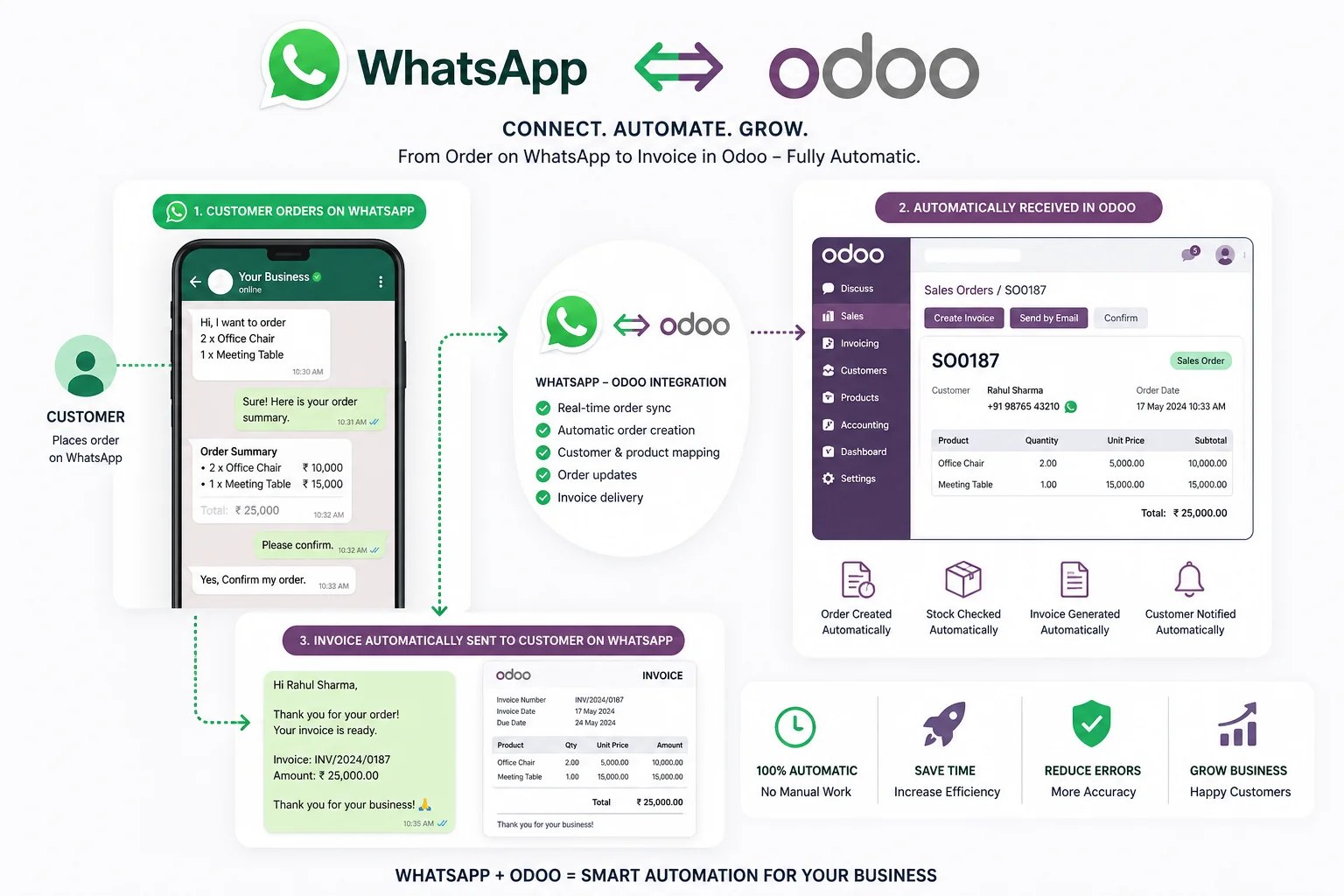
Go4whatsup is a WhatsApp connector for Odoo 19 that works on both Community and Enterprise. It sends invoices, order and delivery updates and payment reminders automatically, and gives the team a shared WhatsApp inbox inside Odoo. $79 a month ($49 a month for the first 3 months).
- Odoo 19 Community and Enterprise, on-premise, Docker or Odoo.sh
- Odoo apps connected: Sales, Invoicing, Inventory, CRM and POS
- Official WhatsApp Business API, no QR scan
- Odoo + WhatsApp Complete: $79 a month ($49 a month for the first 3 months), no connector fee
- Odoo’s own WhatsApp app is Enterprise only
Quick answers
What’s specific to Odoo 19
On Odoo 19, Odoo’s own WhatsApp app is still for Enterprise, and its setup asks you to create and manage your own Meta app (Odoo 19 documentation). Go4whatsup handles WhatsApp onboarding and Meta verification for you and works on Odoo 19 Community as well as Enterprise. Odoo 19 businesses use it to send quotations, invoices, payment reminders and delivery updates automatically, to answer customers from a shared inbox inside Odoo, and to let an AI agent reply with order status, invoice copies and stock from live Odoo data.
Odoo 19 WhatsApp options at a glance
| Option | Editions | How it is run |
|---|---|---|
| Odoo’s own WhatsApp app | Enterprise only (Odoo documentation) | Template messages from records, set up by you |
| One-time Apps Store modules | Community and Enterprise | Self-managed: your own Meta app, webhook and upgrades |
| Go4whatsup | Community and Enterprise | Managed: shared inbox in Odoo, automation, AI agent, custom workflows |
Odoo 19 users get the same Go4whatsup connector on Community and Enterprise, including the shared inbox inside Odoo and the AI agent that answers from live Odoo data. Not sure which route fits? See one-time module vs managed plan.
What works in Odoo 19
Odoo apps connected: Sales, Invoicing, Inventory, CRM and POS.
- Order confirmation sent on WhatsApp when a sales order is confirmed
- Invoice PDF sent on WhatsApp when the invoice is validated
- Payment reminder on or before the due date
- Delivery update when the order is shipped or delivered
- Broadcasts to segments of Odoo contacts with Meta-approved templates
- Chatbot and AI agent that answer customers from live Odoo data
Customer replies land in the Odoo chatter of the matching partner, order or invoice, and the team answers from a shared inbox inside Odoo. See invoices and order updates and the AI agent for Odoo.
Moving from Odoo 18 to Odoo 19
The WhatsApp number, the approved templates and the chat history stay with your Go4whatsup account when Odoo is upgraded to 19. After the upgrade, the connector is installed for Odoo 19 and you keep working with the same number.
Get started on Odoo 19
Odoo Apps Store listing · WhatsApp for Odoo Community · one-time module vs managed plan · Odoo case studies by app · pricing.
See it running on your Odoo 19
Free onboarding on every paid plan. Typically live in 24 hours once your Meta Business Manager is verified.
Frequently asked questions
Does Go4whatsup work with Odoo 19 Community?
Yes. Go4whatsup connects Odoo 19 Community and Enterprise to the official WhatsApp Business API, with no Enterprise licence needed.
Do I need Odoo 19 Enterprise to use WhatsApp?
No. Odoo’s own WhatsApp app needs Enterprise, but Go4whatsup works on Odoo 19 Community as well as Enterprise.
What can Odoo 19 send on WhatsApp with Go4whatsup?
Order confirmations, invoice PDFs, payment reminders, delivery updates and broadcasts, from Sales, Invoicing, Inventory, CRM and POS, with replies in a shared inbox inside Odoo.
How much does WhatsApp for Odoo 19 cost?
Odoo + WhatsApp Complete is $79 a month ($49 a month for the first 3 months), with no connector fee. WhatsApp message charges are billed at Meta’s rate plus a platform margin.
Will I lose my WhatsApp chats when I upgrade to Odoo 19?
No. The number, templates and chat history stay with your Go4whatsup account when Odoo is upgraded to 19.
Do I need to create a Meta developer app for WhatsApp on Odoo 19?
With Odoo’s own WhatsApp app, yes: its setup asks you to create a Meta app. With Go4whatsup, the team handles WhatsApp onboarding and Meta verification for you.