WhatsApp bulk messaging for GCC businesses — sending at volume without getting banned
Most people searching for a "bulk WhatsApp sender" are about to do the one thing that kills their number: blast a list that never agreed to hear from them. Here is what bulk messaging actually is on the official API, the three things that decide whether your campaign lands in the Gulf, and what it did for two regional businesses.
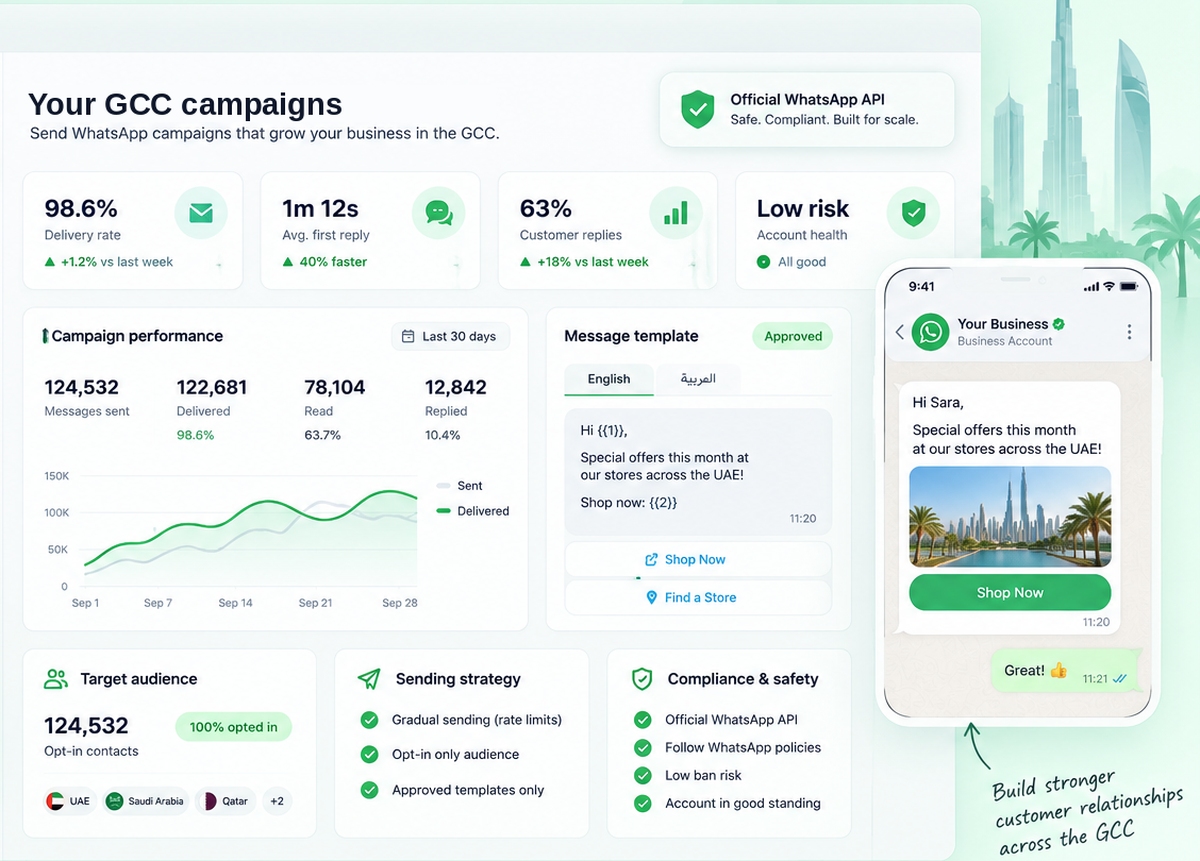
Bulk WhatsApp on the official WhatsApp Business API means sending a Meta-approved template to a segmented list of contacts who opted in, then measuring delivery, reads and replies per recipient. It does not mean automating the consumer WhatsApp app — that is what "blasting software" does, it breaks Meta's terms, and it is the most common reason Gulf businesses lose their number. Three things decide whether a campaign lands: real opt-in, an approved template, and your quality rating. Arabic works natively, but each language is a separate template approval.
- Official API only — unofficial bulk senders get numbers banned, not rate-limited
- Explicit prior consent is a legal requirement across all six GCC states, separate from transactional consent
- Arabic templates are native; each language version is submitted to Meta separately
- Daily reach is set by Meta's messaging tier and rises with quality, not with spend
- Auto-translate covers 100+ languages for the replies a campaign generates
- Unlimited agents and unlimited conversations on a flat tier — not per seat
"Bulk sender" means two completely different things
This is the distinction that decides whether your number survives the quarter.
| Unofficial bulk sender | Official WhatsApp Business API | |
|---|---|---|
| How it works | Automates the consumer WhatsApp app or WhatsApp Web | Sends through Meta's own infrastructure |
| Meta's position | Violates the Business Policy | The sanctioned method |
| Typical outcome | Number banned, often permanently, usually without warning | Delivery reporting and a tier that grows |
| Who you can message | Anyone whose number you have | Contacts who opted in |
| Reporting | "Sent" — nothing verifiable | Delivered, read, replied, failed, per recipient |
The cheap tools win on price because they skip the part that keeps you online. A banned number takes your WhatsApp history, your green tick application and your customers' only route to you — and in the Gulf, where WhatsApp often is the storefront, that is not a marketing setback.
The three things that decide whether your campaign lands
1. Opt-in — and in the GCC it is law, not etiquette
Meta requires opt-in before any business-initiated message. On top of that, UAE PDPL, Saudi PDPL, Bahrain PDPL, Oman PDPL, Qatar DPL and Jordan PDPL each require explicit prior consent for marketing — specific, informed, and separate from any consent the customer gave for a transaction. You must keep a record of when and how it was given, and withdrawal has to be as easy as opting in was.
Country-by-country detail is in our PDPL compliance guide for GCC WhatsApp messaging.
2. Template approval — and Arabic counts twice
Any message you send outside the 24-hour window a customer opened must use a template Meta has approved. Approval is not instant and rejection is common for anything that reads like an advert without context.
The Gulf-specific trap: an Arabic template and an English template are two separate submissions. Teams routinely get the English one approved, schedule the campaign, and discover on send day that half their audience has nothing to receive.
3. Quality rating — the thing that actually sets your ceiling
Meta gives every number a quality rating based on how recipients react. Blocks and reports push it down; replies push it up. Your daily reach tier follows that rating — it rises on its own as you send traffic people want, and it falls when you send traffic they don't. You cannot buy your way up. Send limits are covered in detail in our WhatsApp broadcast guide.
What makes a Gulf campaign different
The mechanics above are universal. These three are not.
Language is a staffing problem, not a sending problem. Sending in Arabic is easy. The replies are the hard part — a campaign to 5,000 Gulf customers produces Arabic, English, Hindi, Urdu and Tagalog responses within the hour, and most teams cannot staff that. Two-way auto-translate across 100+ languages is what makes the volume survivable: the customer writes Arabic, your agent reads and replies in English, the customer receives Arabic.
The working week is not the same across the Gulf. Saudi Arabia, Kuwait, Qatar, Bahrain and Oman work Sunday to Thursday; the UAE works Monday to Friday. A campaign sent on Friday lands on the weekend in five of the six countries, and one sent on Sunday reaches Saudi customers at work but UAE customers on their day off.
Ramadan inverts the day. Send windows that work in March do not work during Ramadan, when attention shifts to the hours around iftar and suhoor. We keep the specifics in the Ramadan GCC playbook rather than repeating them here.
Broadcasts get attention. Automation gets revenue.
A broadcast is one send to a segment at a moment you choose. Automation is a message that fires by itself when something happens — the order ships, the cart sits abandoned, the booking is three days out, the policy is up for renewal.
Broadcasts are visible and satisfying; automation is what pays. It runs at 2am, it never forgets, and it scales without anyone pressing send. The automation builder is no-code, and a chatbot handles whatever the automated message provokes.
Two GCC businesses, two different uses
Both are Go4whatsup customers. The numbers are from their published case studies.
FastCo · Oman
−36%
"Where's my shipment?" tickets. When a route delay hits, 500 affected customers need notifying inside 30 minutes — that is a broadcast plus a status bot, not six agents typing. The tickets that stopped arriving are the return.
Nour Retail · Dubai
+26%
Upsell. An automated flow fires three days after purchase with an offer based on what the customer actually bought. Nobody schedules it. Median first response also fell from 18 minutes to 3.2 minutes.
Running your first campaign
- Get on the official API. Bulk sending needs the WhatsApp Business API, not the WhatsApp Business app. Start with the GCC WhatsApp Business API guide if you are not on it.
- Audit your list before you import it. For each contact: did they opt in, when, and to what? Anything you cannot answer, leave out. A smaller clean list outperforms a large dirty one and does not cost you the number.
- Submit both language versions together. Arabic and English, same day, so approval does not become the bottleneck on send day.
- Segment before you send. One message to everyone is what trains people to block you. Split by what they bought, where they are, when they last engaged.
- Send to a small segment first. A few hundred contacts. Watch delivery, reads and blocks for 24 hours before releasing the rest.
- Read the replies. A campaign that generates replies is working; one that generates blocks is burning your quality rating. Both show up within a day.
On "free bulk WhatsApp sender" tools. Go4whatsup has a free plan — no credit card, limited monthly conversations — which is enough to run a real first campaign. But tools advertising unlimited free bulk sending are almost always automating the consumer app, and Meta charges its own per-conversation fee on the official API regardless of which platform you use. There is no free unlimited WhatsApp sending that is also safe. See GCC pricing for what it actually costs.
Quick answers
Where to go next
- WhatsApp broadcast limits and rules — how far your tier lets you send
- PDPL compliance for GCC WhatsApp messaging — country by country
- Ramadan GCC playbook — send windows that work
- WhatsApp chatbot for GCC businesses — handling what the campaign starts
- WhatsApp Business API for GCC — the full guide
- UAE · Saudi Arabia · Qatar · Kuwait · Bahrain · Oman
Bring your list. We will tell you what is safe to send.
A 20-minute call with the Dubai team: we review your opt-in position, draft the Arabic and English templates, and schedule the first send with you.
Book a demo Start free