
In today’s always-connected world, speed and timing define customer experience. A delayed message can cost you a lead, while a well-timed message can close a sale.
Yet most businesses still struggle with:
- Missed WhatsApp messages
- Inconsistent follow-ups
- Manual reminders
- Low campaign response rates
That’s where WhatsApp message scheduling using Go4whatsup’s WhatsApp Business API becomes a game-changer.
In this comprehensive guide, you’ll learn:
- SEO-optimized FAQs to win featured snippets
- Why WhatsApp scheduling is critical in 2025
- Real-world business use cases
- How Go4whatsup solves common messaging pain points
- Step-by-step scheduling strategies
Let’s dive into how it works and why it could be the game-changer your business needs:.
Why WhatsApp Message Scheduling Matters in 2025
Today, businesses thrive on real-time interactions, and not getting one message sometimes translates to not getting the loyal customer. A trust-building messaging strategy will keep your customers informed, engaged, and most important, loyal to your brand. Flip sides, however, are unhappy clients and the eventual loss of income.
But message scheduling can make a difference. This simply means the automation of the sending of your messages while a recipient is free to get them. Thus, your messages will not get lost in air bubbles and you won’t miss them while being too busy. Now, let’s really dive deep to look at what kind of features in terms of scheduling Go4whatsup can afford in completing your messaging strategy.
? Industry Insight:
Over 70% of consumers expect a reply within 10 minutes on messaging apps like WhatsApp.
Yet businesses face real challenges:
- Teams working across time zones
- Peak-hour message overload
- Human error in follow-ups
- Limited working hours
Message scheduling solves this by ensuring the right message reaches the right customer at the right time automatically.
What Is WhatsApp Message Scheduling?
WhatsApp message scheduling allows businesses to pre-plan and automate outgoing messages via the WhatsApp Business API.
With Go4whatsup, you can schedule:
- Appointment reminders
- Payment follow-ups
- Promotional campaigns
- Order updates
- Event notifications
- Customer re-engagement messages
All without manual effort.
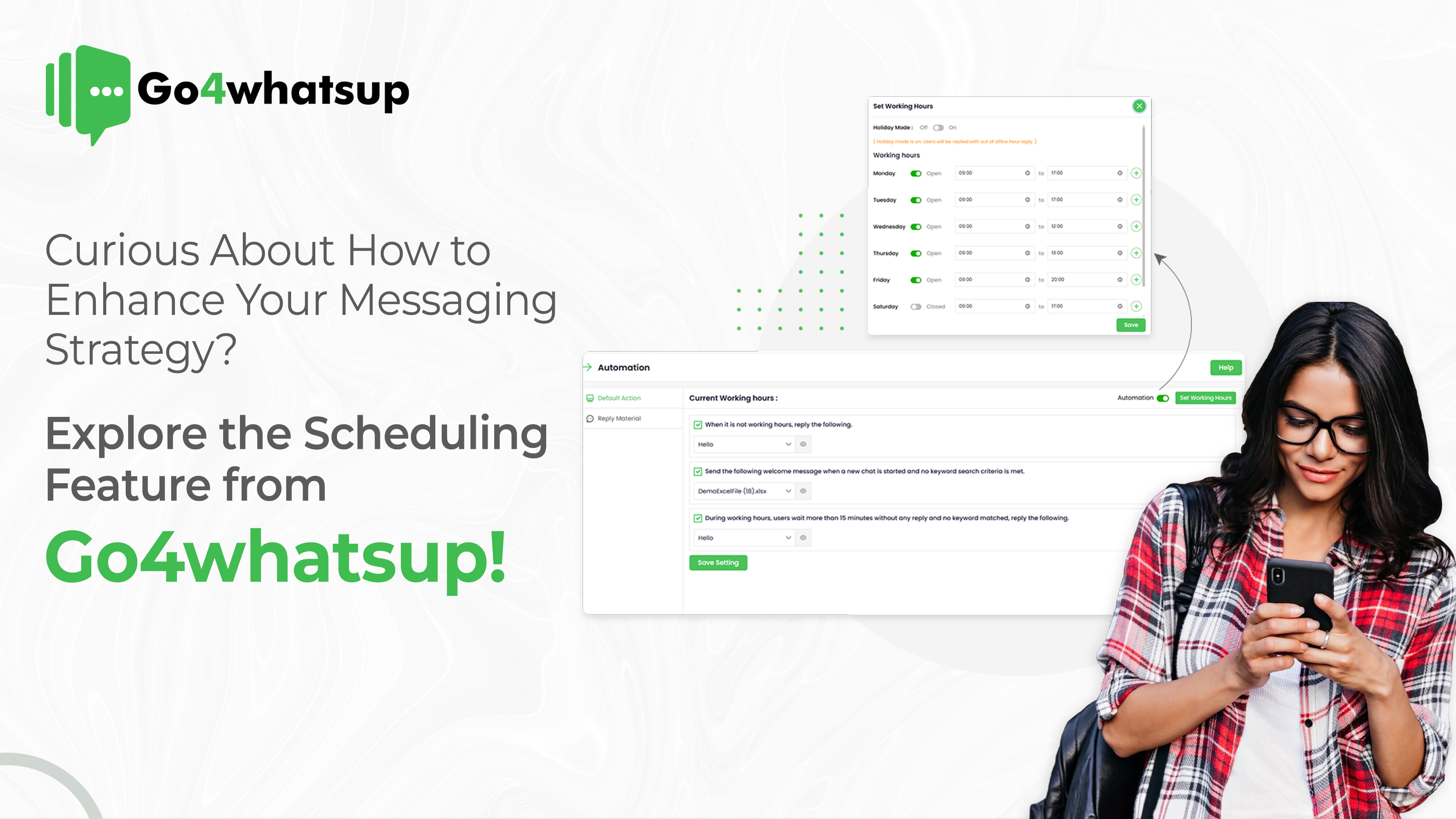
Introduction to the Scheduling Feature on Go4whatsup
So, what does Go4whatsup’s scheduling feature do? Simply put, prepare and schedule your messages beforehand-be it just a hello, reminder, or even a promotional message-and forget about it. It will reach your customers at the right time.
The main benefits of this feature are:
- Time-Saving: Schedule once, run it all the time. No more need for sending messages manually, which otherwise wastes an hour or two every week.
- Consistent customer engagement: Your customers stay engaged based on regular updates without having to remember every single one.
- Reliability: the peace of mind that comes from knowing your messages are reaching your audience at the right time.
It takes the guesswork out of timing, giving you freedom in which to plan, making the experience for your customers seamless.
Real-Time Business Examples (2025-Relevant)
? E-Commerce Example
An online fashion brand schedules:
- Order confirmation instantly
- Shipping update after 24 hours
- Delivery feedback request after 3 days
➡️ Outcome: 22% increase in repeat purchases.
? Healthcare Example
A clinic schedules:
- Appointment reminders 24 hours before
- Follow-up care instructions post-visit
➡️ Outcome: 35% drop in no-shows.
? Hospitality Example
A hotel schedules:
- Booking confirmation
- Pre-arrival instructions
- Post-checkout review request
➡️ Outcome: Higher Google review ratings.
Key Benefits of the Scheduling Feature
Improved Response Timing
Imagine a customer waiting with bated breath for that response and instead of the delay finding a well-timed message. So you have scheduling features where you could plan messages like reminders, follow-ups, even greetings, and rest assured that they go out right when they need to. It can be a game-changer for businesses of high message volume!
Personalised Customer Experience
Customers value personalization, and scheduled messages can add a human touch without manual intervention. For example, you can schedule birthday messages, holiday greetings, or even offer time-specific promotions. This lets your customers feel remembered and valued.
Increased Productivity
Think about the time you’d spend manually sending repetitive messages. With Go4whatsup, you can reclaim those hours. Scheduled messages allow your team to focus on high-value tasks, while routine messages go out on autopilot.
Targeted Campaigns with High Impact
Timing is everything! For marketing campaigns, you can use Go4whatsup’s scheduling feature to ensure that messages are sent at the best times. Send out reminders before an event, launch announcements, or special offers exactly when they’ll make the most impact.
Practical Use Cases for the Scheduling Feature Across Industries
This scheduling feature isn’t just for one type of business—it’s versatile! Here are some examples across different industries:
- Retail: Messages of new products, flash sales or reminders for following up on orders can be sent out at intervals to customers.
- Hospitality: Reservations have reminder notifications, a welcome notice can be sent as well as reminders for checkouts.
- Healthcare: Appointments, messages after visits, and reminders on seasonal health checks can be sent.
- Education: Course schedules, events, or submission deadlines on assignments can be communicated among students and parents.
- Service-Based Businesses: Confirmations and reminders can be automated post-service with thank-you messages.
These examples show how you can provide a professional, timely experience for your customers—no matter what industry you’re in!
Step-by-Step Guide to Using the Scheduling Feature on Go4whatsup
Here’s a quick guide to help you get started with Go4whatsup’s scheduling feature:
- Access the Feature: Go to the Go4whatsup dashboard and find the scheduling tool.
- Choose Your Message Type: Select from options like greetings, reminders, or promotional messages.
- Set the Time and Date: Pick the exact time you’d like the message to be sent.
- Customize the Content: Tailor the message for your audience. Add a personal touch or any details specific to the occasion.
- Save and Review: Double-check everything, and you’re all set! Once saved, Go4whatsup will handle the rest.
Pro Tip: Keep your messages clear and actionable. And don’t forget a friendly tone to keep the interaction positive!
Best Practices for High-Conversion WhatsApp Scheduling
? Timing Optimization
- B2B: 10 AM – 1 PM
- B2C: 6 PM – 9 PM
? Frequency Control
Avoid spamming. Stick to value-driven messages.
? CTA Placement
Every scheduled message should include one clear action:
- “Confirm Appointment”
- “Track Order”
- “Talk to Expert”
Tips for Maximizing the Scheduling Feature’s Potential
Here are some tips to get the best results from scheduling:
- Timing Matters: Time your audience when they are most active: mid-morning for B2B, evening for retail.
- Be Consistent, Not Overwhelming: Updates are great, but messages can fast become spammy if sent too frequently. Space them out wisely.
- Be Value-Driven Content: Choose messages that add value to the conversation, such as a reminder that people will find helpful, an exclusive offer that they can’t get elsewhere, or just a friendly greeting.
How to Get Started with Go4whatsup’s Scheduling Feature
Now you can upgrade your communication strategy- Register on Go4whatsup and try the scheduling feature. It is fast in the time it takes to deploy, easy to use, and can be what sets you apart from the competition for customer relationships.
Want to learn more about Go4whatsup? Sign up for a demo, or reach out to our support team to learn more about this feature. Time to let your messages work for you!
Looking for Best WhatsApp Business Solution Provider? Consult Go4whatsup Now!
Conclusion
It’s time to wrap up, and the right messaging strategy can alter how your customers perceive your brand; with Go4whatsup’s scheduling features, it has never been easier. Saving time and creating valuable interactions for your customers with this tool is sure to be helpful in the expansion of your business.
So, what are you waiting for? Start using the scheduling feature in Go4whatsup today and experience the difference made by timely, consistent communication for your business.
FAQs
❓ What is WhatsApp message scheduling?
WhatsApp message scheduling allows businesses to send pre-planned messages automatically using WhatsApp Business API platforms like Go4whatsup.
❓ Is WhatsApp scheduling allowed by Meta?
Yes. Scheduling is fully compliant when done via official WhatsApp Business API providers like Go4whatsup.
❓ Can I personalize scheduled WhatsApp messages?
Absolutely. You can personalize messages using customer names, order details, and dynamic fields.
❓ Which industries benefit most from WhatsApp scheduling?
E-commerce, healthcare, education, real estate, travel, hospitality, and service businesses benefit the most.
❓ Does WhatsApp scheduling improve conversions?
Yes. Timely follow-ups and reminders significantly improve response rates and conversions.
Final Thoughts: Why Go4whatsup Wins in 2025
WhatsApp is no longer optional—it’s mission-critical.
Businesses that master timing + automation + personalization will dominate customer engagement in 2025.
Go4whatsup’s WhatsApp scheduling feature empowers you to:
- Never miss a message
- Convert faster
- Scale without chaos
? Ready to transform your WhatsApp strategy?


Bukmekerlik va kazino Mostbet Uz Kirish mavzusiga oid kalit so‘zlar bilan to‘la, ammo haqiqiy kirish havolasi yoki login ma’lumotlarini oshkor qilmaydigan, xavfsiz va javobgar tahririy matn beraman.
[url=https://razvitie-malysha.com/uhod/odezhda/pravila-stavok-na-sport.html]mostbet ko’zgusi bugun[/url]
Identifikatsiya jarayoni xavfsiz protseduralarga tayanib amalga oshiriladi.
Mostbet Uz foydalanuvchilar uchun tez-tez yangilanadigan promo kodlar va bonuslar bilan keladi.