
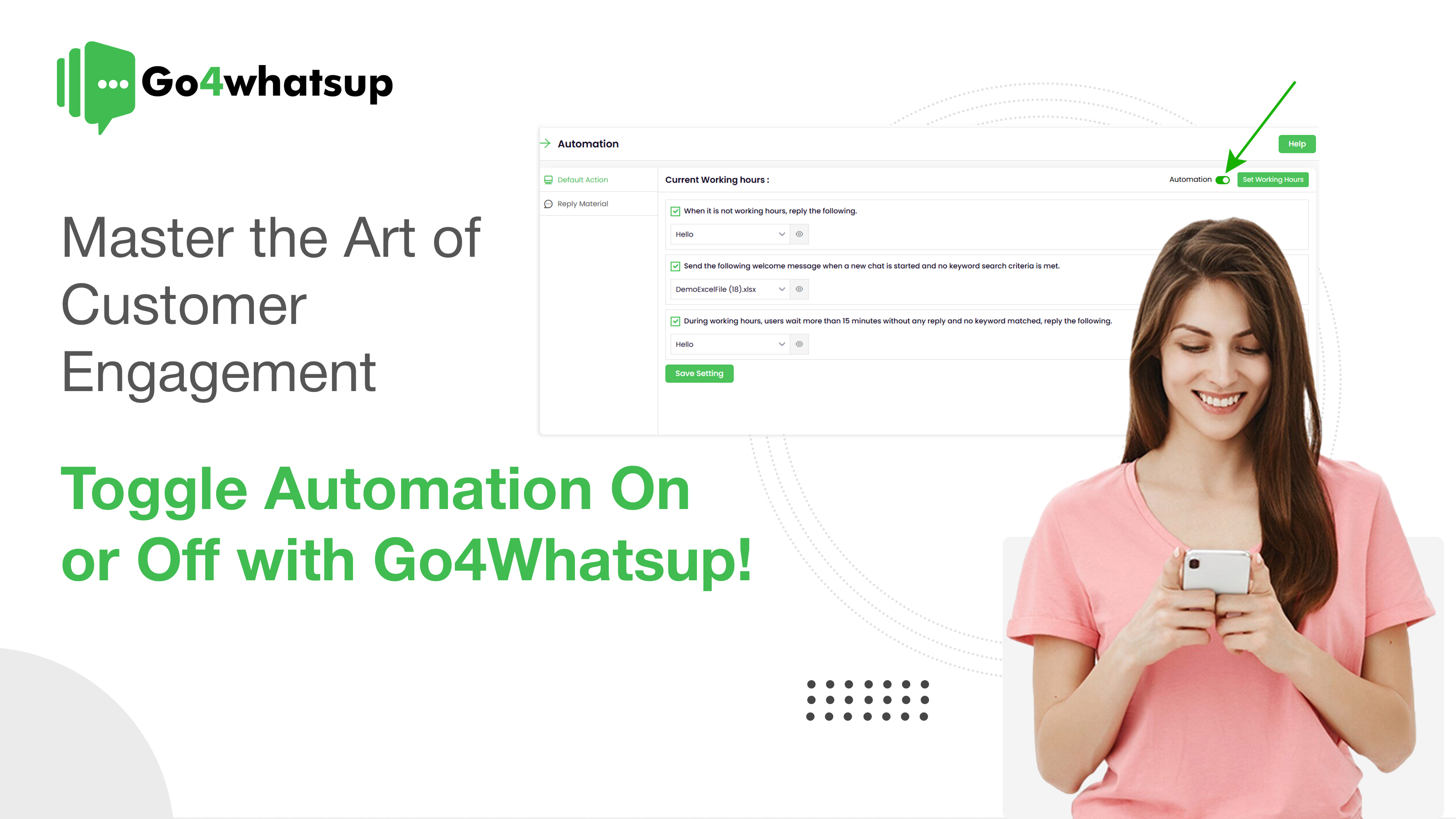
Customer engagement is no longer about simply responding to messages—it’s about responding at the right time, in the right way, with the right balance of automation and human touch.
In 2025, businesses face a growing challenge: customers expect instant replies, yet they also crave authentic, human interactions. Too much automation feels robotic. Too little automation slows growth. This is where smart WhatsApp automation control becomes a competitive advantage.
That’s exactly why Go4Whatsup’s Automation Toggle feature is transforming how modern businesses engage customers on WhatsApp.
In this guide, you’ll learn:
- Why customer engagement is evolving in 2025
- When automation helps—and when it hurts
- How businesses use WhatsApp automation in real life
- How Go4Whatsup helps you toggle automation on or off effortlessly
- Practical strategies to increase conversions, retention, and satisfaction
Why Customer Engagement Is Harder Than Ever in 2025
Customer behavior has changed dramatically:
- ⏱️ 80%+ customers expect replies within minutes
- ? Messaging apps have replaced emails and calls
- ? Over-automation leads to frustration
- ? Manual replies don’t scale as businesses grow
The Real Pain Points Businesses Face
For small businesses
- Missed messages outside business hours
- Overwhelmed teams during peak times
- Inconsistent responses
For growing businesses
- High customer query volume
- Slow human response times
- Difficulty balancing automation and personalization
For enterprises
- Fragmented communication channels
- Loss of brand voice due to rigid bots
- Rising customer churn
? The solution is not “more automation” — it’s smarter automation.
What Is WhatsApp Automation (And What It’s Not)
WhatsApp automation uses:
- Pre-set replies
- Chatbots
- Trigger-based workflows
- Business hours automation
- Keyword-based routing
What Automation Does Well
✔ Answers FAQs instantly
✔ Handles repetitive queries
✔ Works 24/7
✔ Reduces support costs
Where Automation Fails
❌ Complex issues
❌ Emotional complaints
❌ High-value customer conversations
❌ Negotiations & sales objections
That’s why control matters more than automation itself.
Introducing Go4Whatsup’s Automation Toggle Feature
Go4Whatsup empowers businesses with one-click automation control, allowing you to switch between automation and human support instantly—without technical complexity.
What Makes This Feature Unique?
Unlike rigid chatbot platforms, Go4Whatsup lets you:
- Turn automation ON during peak hours
- Turn automation OFF for VIP or sensitive conversations
- Customize responses per business scenario
- Maintain brand voice and empathy
How the Automation Toggle Works (Step-by-Step)
- Log in to your Go4Whatsup Dashboard
- Navigate to Automation Settings
- Select:
- Business hours
- Non-business hours
- Trigger conditions
- Toggle automation ON or OFF
- Save and apply instantly
No developers. No downtime. No complexity.
Real-Time Business Examples (2025 Use Cases)
Example 1: E-Commerce Brand Handling 5,000+ Monthly Queries
Problem:
Customers asked about order status, returns, and delivery timelines—overwhelming the support team.
Solution with Go4Whatsup:
- Automation ON for order tracking & FAQs
- Automation OFF for returns & complaints
Result:
✅ 38% faster resolution
✅ 27% higher repeat purchases
✅ Reduced support workload
Example 2: Healthcare Clinic Managing Appointments
Problem:
Missed calls and no-shows impacted patient satisfaction.
Solution:
- Automation ON for appointment reminders
- Automation OFF for medical inquiries
Result:
✅ 41% reduction in no-shows
✅ Higher patient trust
✅ Better compliance
Example 3: Real Estate Agency Handling High-Value Leads
Problem:
Bots scared away premium buyers.
Solution:
- Automation ON for property listings
- Automation OFF for negotiations
Result:
✅ Higher lead-to-deal conversion
✅ Improved customer experience
When to Turn Automation ON
Use automation when:
- You receive repetitive queries
- You operate across time zones
- You need instant replies
- You’re running promotions
- You’re scaling fast
Best Automation Scenarios
- Order confirmations
- Shipping updates
- FAQs
- Lead qualification
- Appointment reminders
When to Turn Automation OFF
Turn automation off when:
- Conversations require empathy
- Issues are complex
- Customers are frustrated
- Deals involve negotiation
- VIP customers reach out
? Human conversations build trust—automation builds efficiency.
Why This Balance Drives Higher Conversions
Businesses using hybrid automation strategies report:
- ? Higher customer satisfaction
- ? Increased retention
- ? Better engagement rates
- ? Higher revenue per customer
Go4Whatsup enables this balance—without forcing you into one approach.
SEO-Optimized FAQs (Add These to the Blog)
1. What is WhatsApp customer engagement automation?
It’s the use of automated workflows and chatbots to respond to customer messages instantly while maintaining personalized experiences.
2. Can I turn WhatsApp automation on and off?
Yes. Go4Whatsup allows businesses to toggle automation on or off anytime based on business needs.
3. Is WhatsApp automation suitable for all businesses?
Yes—especially eCommerce, healthcare, education, real estate, logistics, and service-based businesses.
4. Does automation affect customer trust?
Over-automation can hurt trust. That’s why Go4Whatsup’s toggle feature ensures the right balance between automation and human support.
5. Is WhatsApp automation expensive?
No. Go4Whatsup offers transparent pricing without hidden costs.
Final Thoughts: Automation Is Powerful—Control Is Everything
Customer engagement in 2025 isn’t about choosing between automation and humans. It’s about knowing when to use each.
Go4Whatsup gives businesses complete control, helping you:
- Respond instantly
- Stay human when it matters
- Scale without losing trust
- Convert more customers
? The future of WhatsApp engagement is flexible, smart, and customer-first.


PHARMACY RX ONE VIAGRA GENERIC VIAGRA FAST – THE LOWEST VIAGRA PRICES GUARANTEED, Fast [url=https://supremesuppliersltd.com/]canadian pharmacy no prescription[/url]
[url=http://canadian24hourpharmacy.com/]canadian 24 hour pharmacy[/url]
[url=http://pharmwithoutaprescription.com/]canadian pharmacy no prescription[/url]
Generic Viagra Online. Buy Cialis online, Levitra in Safe Pharmacy –
Buy Cialis. Online Canadian DrugStore.
Cialis
The Pharmacy Boardshop
BUY VIAGRA – Generic Viagra:Viagra one of the best medicines that
[url=http://canadian24hourpharmacy.com/]online pharmacies[/url]
[url=http://pharmwithoutaprescription.com/]levothyroxine without prescription[/url]
Buy Levaquin Generic Pharmacy
Generic Viagra – FREE DELIVERY
[url=https://www.onlinepharmacyshopping.com/]canadian pharmacy online no script[/url]
[url=http://onlinepharmwithoutprescription.com/]canadian pharmacy on script needed[/url]
какие экскурсии посетить на Пхукете
Рекомендую какую экскурсию выбрать на Пхукете
Лучшие экскурсии на Пхукете https://luchshie-ekskursii-na-phukete.ru/
Туристам на заметку лучшие экскурсии на Пхукете отзывы 2026
Рекомендую экскурсии Пхукет