
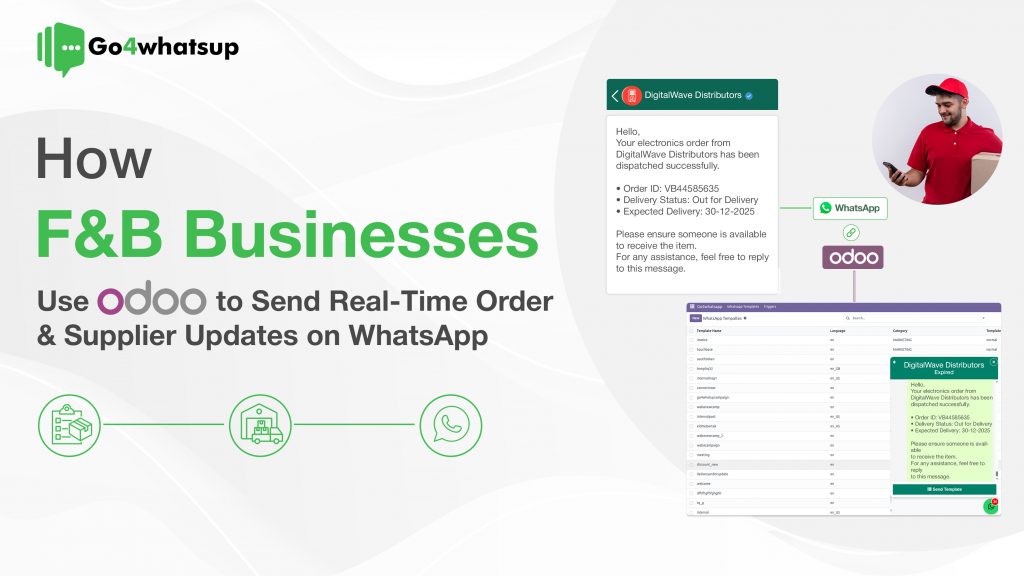
In the fast-paced food and beverage (F&B) industry, speed and communication can make or break customer satisfaction. A delayed update can mean a cold meal, a frustrated customer, or a missed supplier delivery. Yet, many F&B businesses still rely on manual calls, emails, and WhatsApp typing, leading to errors, delays, and operational chaos.
This is where Odoo WhatsApp integration for F&B businesses changes the game.
By integrating Odoo ERP with WhatsApp Business API, restaurants, cloud kitchens, cafes, and food distributors can automate real-time order updates, supplier communication, and payment notifications — all from a single system.
In this guide, we’ll explore how F&B brands use Odoo + WhatsApp automation to improve customer experience, reduce manual work, and streamline supplier coordination.
The Biggest Communication Challenges in the F&B Industry
The F&B sector operates on thin margins, high order volumes, and strict timelines. Any communication gap directly impacts revenue and reputation.
Common problems F&B businesses face:
- Customer follow-up overload
“Where is my order?” calls flood your staff during peak hours. - Supplier coordination issues
Missed emails or delayed calls result in ingredient shortages during rush time. - Manual confirmation work
Staff waste hours confirming orders, updating statuses, and chasing suppliers. - No centralized communication trail
WhatsApp chats, emails, and calls are scattered with no audit history.
By using WhatsApp automation directly from Odoo, businesses eliminate these inefficiencies while communicating on a platform everyone already uses daily.
Improving Customer Experience with Real-Time WhatsApp Order Updates
Modern customers expect instant updates, not silence after placing an order. With Odoo WhatsApp integration, customer communication becomes automatic and consistent.
1. Instant WhatsApp Order Confirmation
As soon as an order is placed — via website, POS, food delivery app, or in-store — Odoo can automatically trigger a WhatsApp message.
Example:
Hi David ?
Your order #12345 for Margherita Pizza & Coke has been confirmed.
? We’ve started preparing it!
This immediate confirmation builds trust and reduces inbound support queries.
2. Live Kitchen & Delivery Status Updates
By connecting Odoo Sales, Inventory, and Manufacturing modules, businesses can send real-time WhatsApp order status updates.
Typical automated stages:
- Order in Preparation
- Ready for Pickup
- Out for Delivery
- Delivered Successfully
Example:
? Your order is out for delivery!
Track your delivery live here: {{tracking_link}}
This proactive communication:
- Reduces customer anxiety
- Minimizes support calls
- Increases repeat orders and ratings
Automating Supplier Communication with Odoo WhatsApp Integration
Customer experience depends heavily on supplier reliability. Odoo WhatsApp automation brings the same efficiency to supplier coordination.
1. Automated Purchase Order Sharing
Once a Purchase Order (PO) is approved in Odoo, it can be instantly sent to the supplier via WhatsApp with a PDF attachment.
Example:
Hello {{Supplier Name}},
Please find attached Purchase Order #PO-00987 for tomorrow’s delivery.
Kindly confirm.
No more follow-up calls or missed emails.
2. Delivery & Payment Notifications for Suppliers
Odoo WhatsApp workflows can also automate:
- Delivery reminders before scheduled supply dates
- Goods receipt confirmation after stock is received
- Payment confirmation messages when invoices are paid
Example:
? Payment Update:
Invoice #INV-2045 has been successfully paid.
Thank you for your continued support.
This transparency builds stronger supplier relationships and reduces disputes.
How Odoo WhatsApp Automation Works (Behind the Scenes)
Here’s a simplified breakdown of the workflow:
- Trigger in Odoo
(Order confirmed, delivery started, PO approved, payment completed) - WhatsApp Integration Module
Listens for these actions in real time - Approved Message Template
WhatsApp Business API-compliant template is selected - Dynamic Data Mapping
Odoo auto-fills order number, customer name, tracking link, invoice, etc. - Message Sent & Logged
WhatsApp message is delivered and logged inside Odoo chatter
Everything stays centralized, trackable, and compliant.
Why Odoo + WhatsApp Is a Must-Have for F&B Businesses
Using Odoo WhatsApp automation for food businesses helps you:
- ✅ Reduce manual follow-ups
- ✅ Improve order transparency
- ✅ Speed up supplier coordination
- ✅ Lower support workload
- ✅ Increase repeat customers
- ✅ Maintain a complete communication history
Whether you run a restaurant chain, cloud kitchen, café, food distributor, or B2B supplier, this integration scales effortlessly.
Frequently Asked Questions (FAQ)
Can I send real-time order tracking links via WhatsApp?
Yes. Odoo can automatically send live tracking links via WhatsApp when delivery starts, giving customers a real-time map view.
Is WhatsApp suitable for bulk order updates?
Absolutely — only via WhatsApp Business API. The API is built for high-volume, automated messaging and ensures high deliverability without spam risks.
How does this improve supplier relationships?
Suppliers receive instant POs, delivery confirmations, and payment updates. This clarity reduces disputes and builds long-term trust.
Can this work for B2B food suppliers?
Yes. Wholesale food businesses use Odoo WhatsApp automation to:
- Confirm bulk orders
- Share invoices
- Send payment reminders
- Update delivery schedules
What do I need to get started?
You need:
- Odoo ERP
- WhatsApp Business API account
- Odoo–WhatsApp integration module (from a trusted provider)
Final Thoughts
In the F&B industry, speed, accuracy, and communication are competitive advantages. By integrating Odoo with WhatsApp, you transform your ERP into a real-time communication engine.
From reassuring customers with instant updates to keeping suppliers perfectly aligned, Odoo WhatsApp integration helps F&B businesses operate smarter, faster, and more profitably.
Ready to Scale Your Business with WhatsApp?